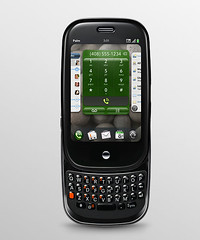
Palm's update of Pre's WebOS to 1.1 is pretty significant in a lot of ways. It shows that the company listens well to its customers and is actively patching and improving the OS. However, it also shows that the OS has a lot of holes to be fixed.
Palm updates WebOS to sync with iTunes again
Is it just us, or do we feel that there's an inevitable battle between Apple's iPhone 3GS and Palm's Pre? A few weeks ago, the Pre was able to use iTunes and was even registering as an iPod. We believe that the Apple people didn't like this as they upgraded their iTunes a few hours later after this news broke out. Palm reacted by putting out their latest update that circumvents Apple's iTune patch to block the Pre. And yes, even Palm's management people got in the act:
Oh, and one more thing: Palm webOS 1.1 re-enables Palm media sync. That’s right — you once again can have seamless access to your music, photos and videos from the current version of iTunes (8.2.1).
John Traynor
VP, Business Products
So far no response yet from the Apple side of the fight, but nonetheless someone's fuming like heck there now (like say the one who created the update to block the Pre in the first place perhaps?). With such statements coming from a Palm VP, it seems that the battle for mobile phone supremacy has begun between these two giants: and it's all because of WebOS 1.1.
Palm Pre's WebOS 1.1 update extras?
WebOS 1.1 had an
official list of updates in their site, but did you know that there were even more improved under the OS hood because of this update?
- Changed sound for notifications - You still can’t change them yourself, but the new sound is much richer, if a little quieter
- Animated drop down menus - they look really slick and really change the experience. The Context menus also have some nice animation.
- Additional photo upload options - you can now upload a photo to either Facebook or Photobucket
- Lots of Photo app improvements. A more distinct bar between all photos and your albums in the photo app, plus they’re calling the Screenshot album “Screen Captures.” The preview thumbs also slide in from the right. Faster photo rendering. Overall the Photos app feels much more fully baked.
- Emailing Memos - The memo app now has a menu option to email a memo.
- A new font for the Browser - uses Palm’s system font and, truly, it looks fantastic.
- Disabled the key combo in browser to open in a new card. Boo-urns.
- Javascript interpreter Performance upgrades - this will speed up virtually everything and is great news
- Sporadic reports of speed improvements both in the browser and system-wide, but it’s always tough to know if these are real or just perceived
- Seems to have better Gmail handling - not failing when you tap on a notification for an email you’d already archived on the desktop
- A new icon for AIM
- More auto-complete / auto correct entries in the dictionary.
- With the slider open, the Center button now turns on the screen, where as before you had to hit a keyboard key or the power button.
- It’s a little finicky, but you can double-tap to start text selection in editable fields (note, however, that cursor placement in the Memos app is buggy)
Source for Palm Pre syncs with iTunes againSource for Palm Pre WebOS 1.1 additional updates